
Table of contents
Overview
For privacy reasons, GotPhoto staff cannot access your account by default. However, if you're experiencing an issue, you may choose to grant temporary access to the Customer Care team for troubleshooting purposes. Follow the steps below to securely enable or revoke access as needed.
Grant account access
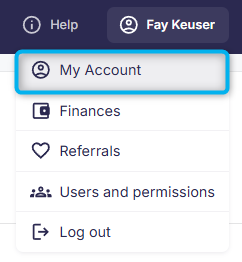
- 1Click your name in the upper-right corner, then select My Account.
- 2
Then, click on Access for service staff under User Profiles & Permissions:
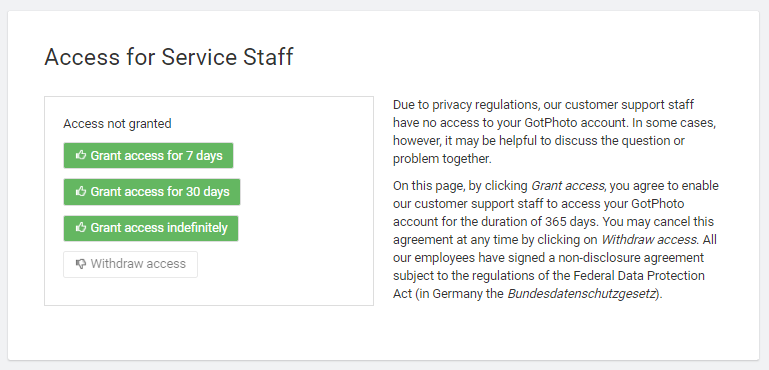
- 3Select how long you'd like to grant access for on the next screen:
- 4
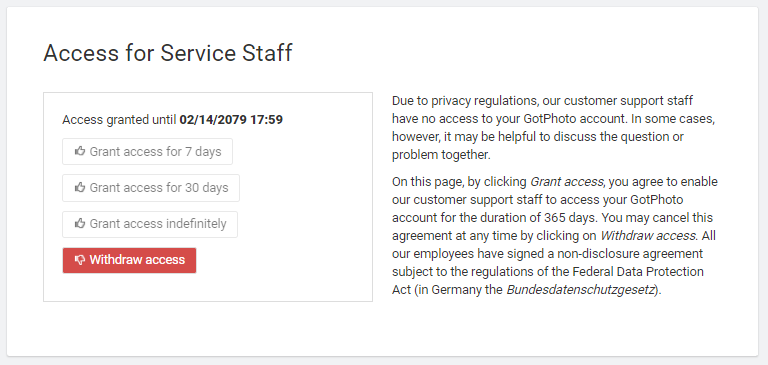
- 5You can revoke access at any time by clicking Withdraw access:
- 6
The takeaway
To protect your privacy, GotPhoto support requires your permission to access your account. Grant access easily via your account settings, and revoke it at any time when support is no longer required.