
Table of contents
Overview
You can move multiple pictures at once between albums within the same photo job. You can also move them between access codes inside an album. This helps keep your photo organization clear and accurate.
Steps to move multiple pictures
Follow these steps to move photos between albums:
- 1Open the album in Photo Management that contains the pictures you want to move.
- 2Select the pictures you want to move. You can:
- Click on them one by one while pressing CTRL (or CMD on Mac), or
- Draw a frame around the pictures to select them in bulk.
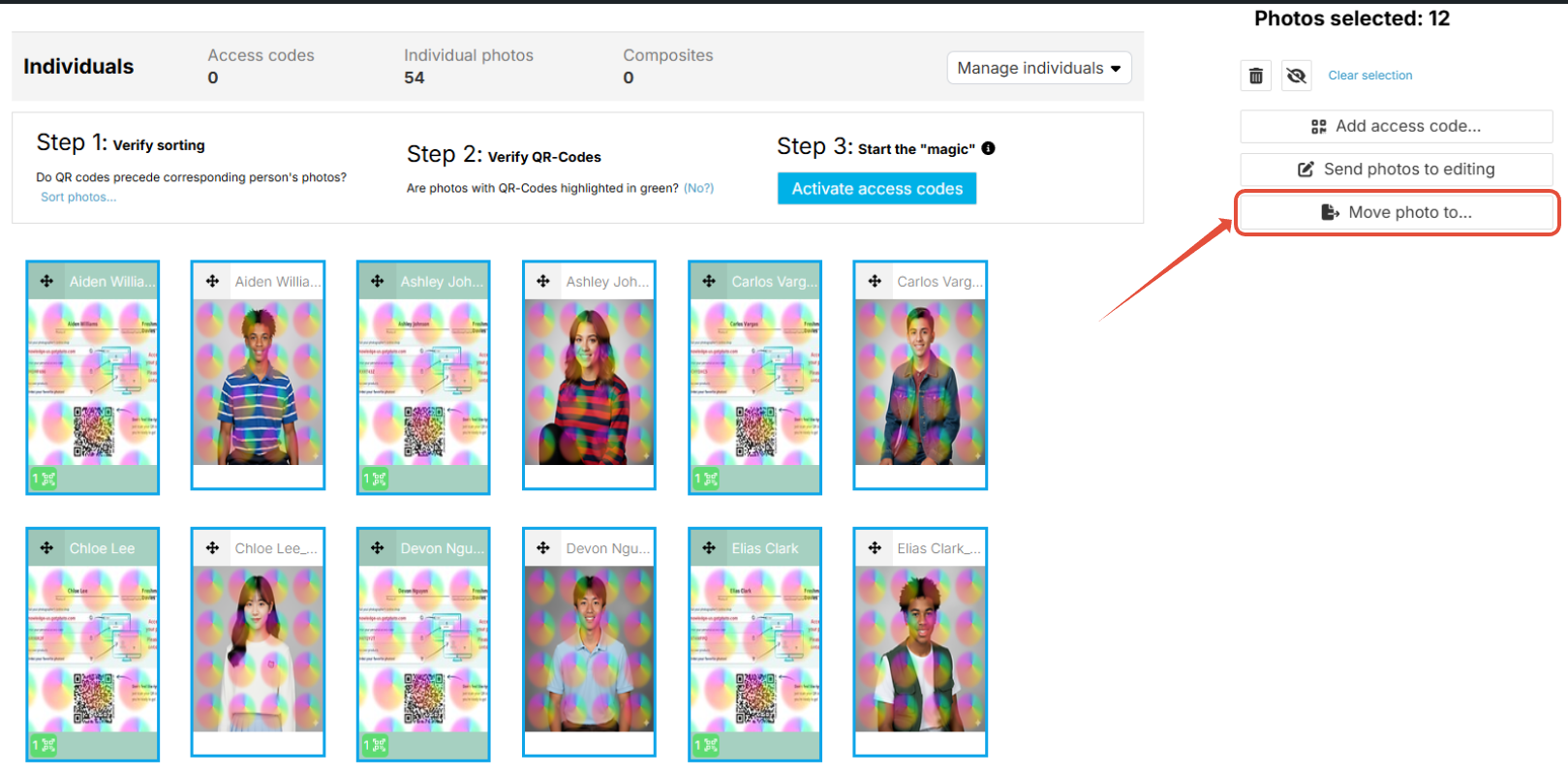
- 3Selected pictures are highlighted with a blue frame.
- 4Look at the top right of the page. You will see:
- A counter showing how many photos are selected
- Action options below the counter
- 5Click the Move photo to... button to move the photos.
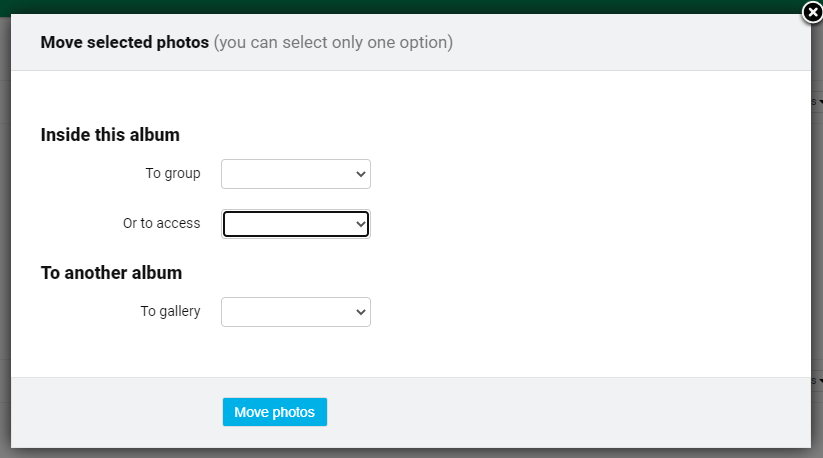
- 6A new menu will open. From here:
- Select the album where you want to move the pictures.
- Inside this album:
- To group: Move photos to the Group Photos or Individuals Section of the album by selecting in the dropdown
- To access: Move photos to another access code within the same album by selecting the target code in the dropdown
- To another album:
- To gallery: Move photos to another album you have created within the job
- Inside this album:
- Select the album where you want to move the pictures.
- 7
Important notes
- To move pictures to a different code in another album, first move the pictures into the new album. Then, within that album, assign them to the correct access code.
- It is not possible to move photos between jobs. You can only move photos within the same job, either to another album or to access codes inside that job.
The takeaway
You can easily move multiple pictures between albums or access codes within the same job. Always remember: photos cannot be moved across jobs, and codes must be reassigned after moving to a new album.