Table of contents
- Find the Orders page
- Customer Orders
- Batch Shipping
- Order Entry
- Requests
- Invoices
- Job-level Orders page
- The Orders Page can be found by clicking on Orders in the main menu:
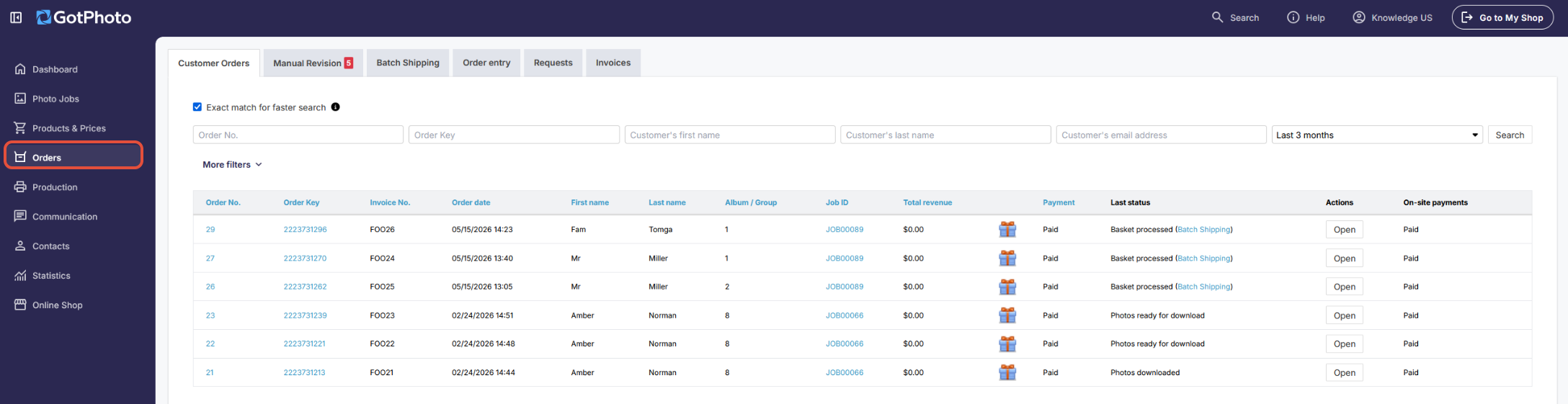
- 1Customer Orders: On this tab, you can see a list of all of your orders. You can adjust the search filter by clicking More Filters. The standard filter shows all orders placed in the past three months.
You can view any order by clicking on its order number, order key, or Open in the Actions column. Here you can find the list of all payment method icons used on this overview page - 2Manual Revision: This is where all orders that have been sent to Manual Revision await your attention. For more information on Manual Revision, click here.
- 3Batch Shipping: On this tab, you'll find a list of all of your batch shipping orders. You can view any batch by clicking on its ID number, batch shipping deadline, or Open under the Actions column.
- 4Order Entry: This page allows you to enter manual orders.
- 5Requests: On this page, you can view and manage all customer requests (complaints). For more information on managing customer complaints, click here.
- 6Invoices: This page shows you all of your customer invoices. Clicking on Export will allow you to filter and download invoices by date, and clicking on Actions will allow you to download a specific invoice or open its order. For more information on exporting invoices, click here.
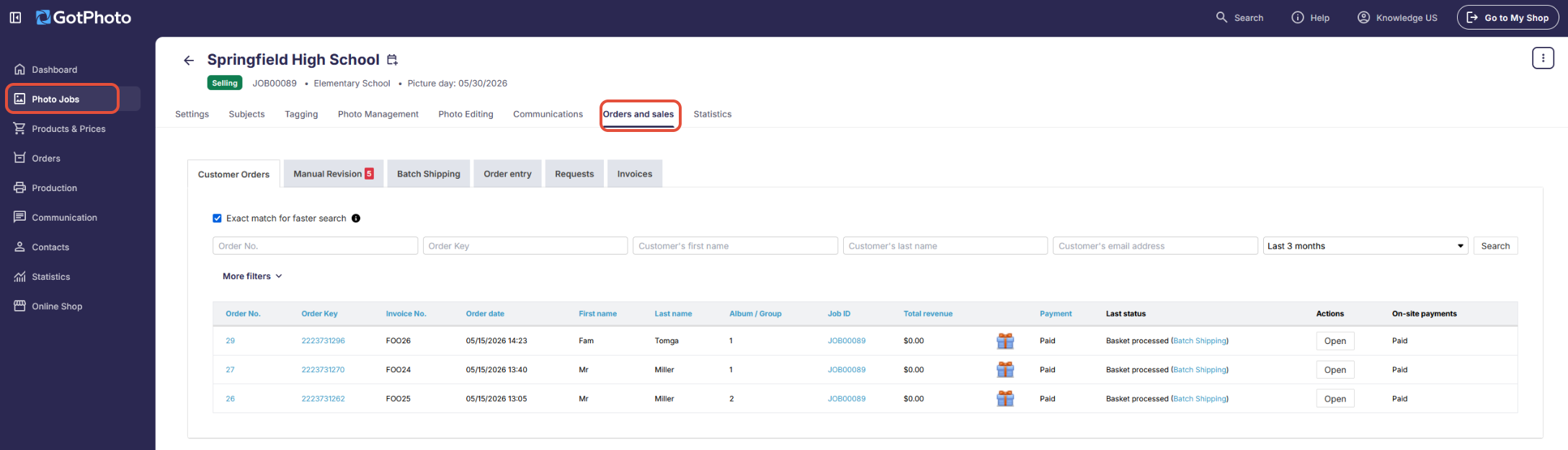
You can also view a job-level version of the Orders page within any of your Photo Jobs: