
Table of contents
Overview
Within GotPhoto, you can allow your customers to add discounted prints if they purchase downloads. In this article, we'll review how to set up this upselling feature.
Setup
Follow these steps to enable discounted prints when downloads are purchased:
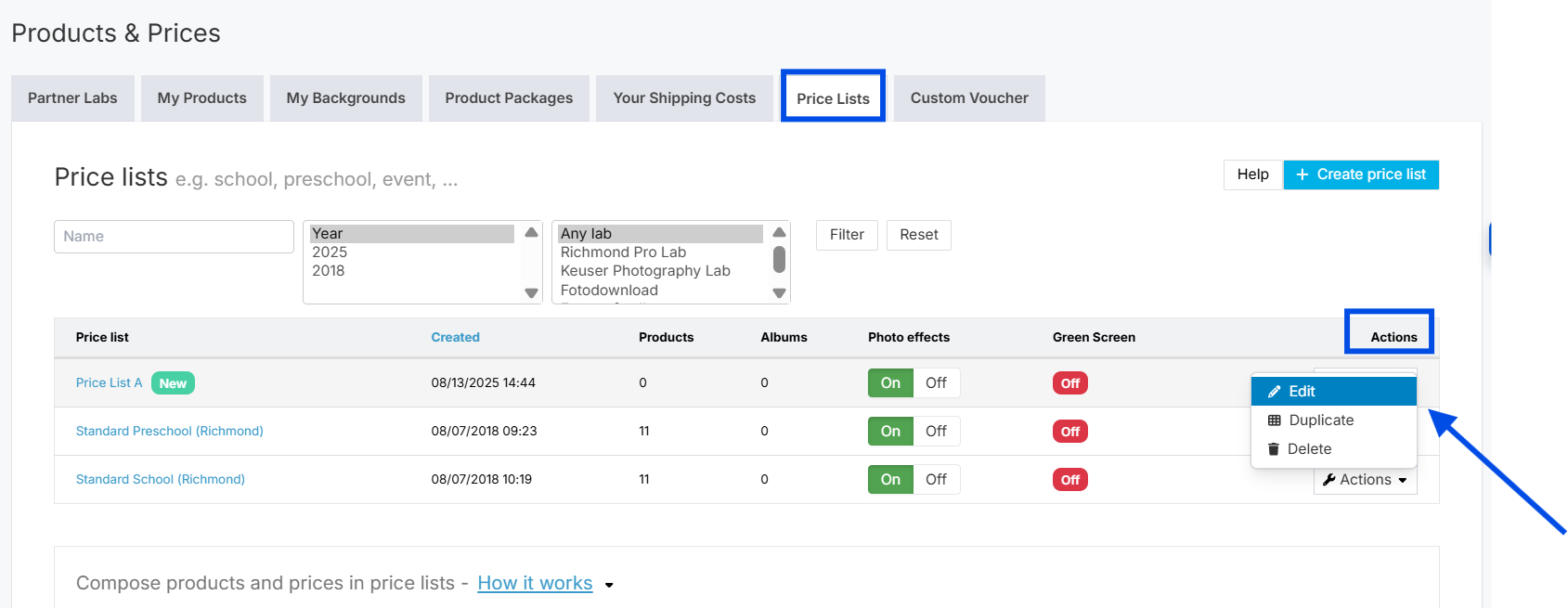
- 1Navigate to Products & Prices → Price Lists and select Edit under the Actions dropdown menu next to your preferred price list. You can also create a price list.
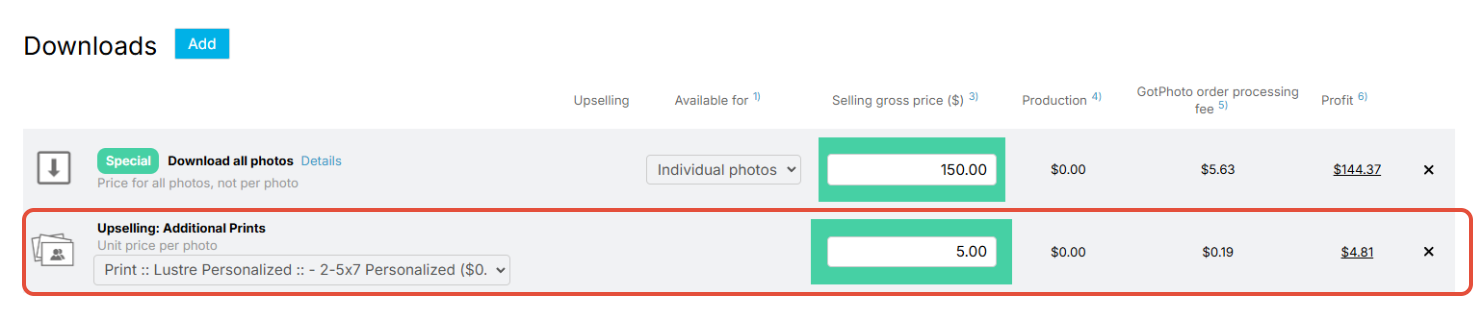
- 2Add Download All Photos to your price list. Then, click the + symbol beneath the Upselling section.

- 3Select the specific prints you want to offer as upsells and set their discounted prices.
You do not need to save this configuration — the system will automatically detect updates made to your price list.
The takeaway
Setting up discounted prints alongside a "Download All Photos" package is an effective upselling tactic to boost revenue effortlessly within GotPhoto.