
Table of contents
Overview
If a customer says they completed an order using Apple Pay, but you cannot see the order in your system, it means the order was not finalized, and no payment was processed.
Root cause
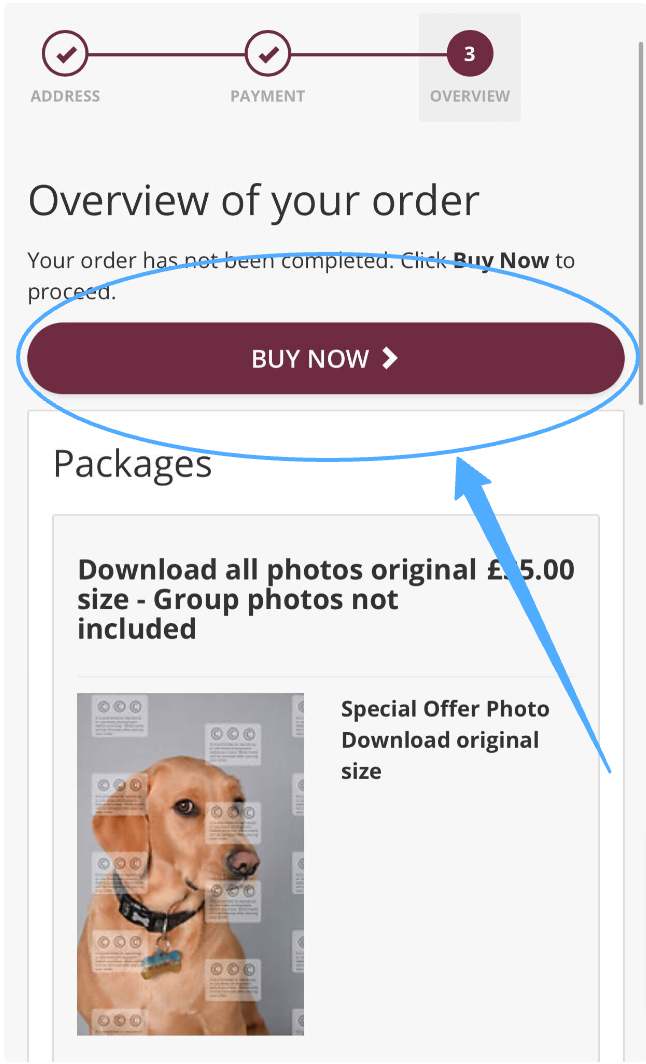
The customer may have authorized Apple Pay by clicking the side button on their device, but the process is not complete until they also press the BUY NOW button in GotPhoto.
Solution
Ask your customer to return to their cart and follow these steps:
- 1After selecting Apple Pay and authorizing it on their device, the customer will see a confirmation page. They must click the BUY NOW button to complete the order.
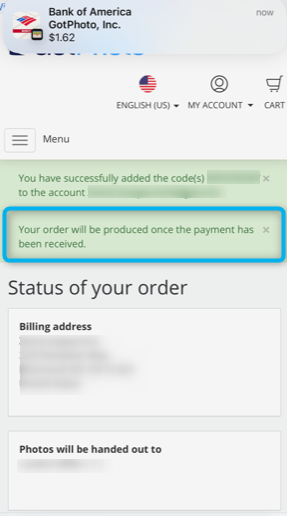
- 2The order is only complete once a green success alert appears on the next page.
The takeaway
If an Apple Pay order does not appear in GotPhoto, the customer likely did not click BUY NOW after authorizing Apple Pay. Always remind customers that the order is only confirmed when they see the green success alert.