
Table of contents
Overview
If you see “Missing Translation” instead of your package names in the admin area, it usually means your language settings were changed. This guide explains why it happens and how to fix it.
The issue
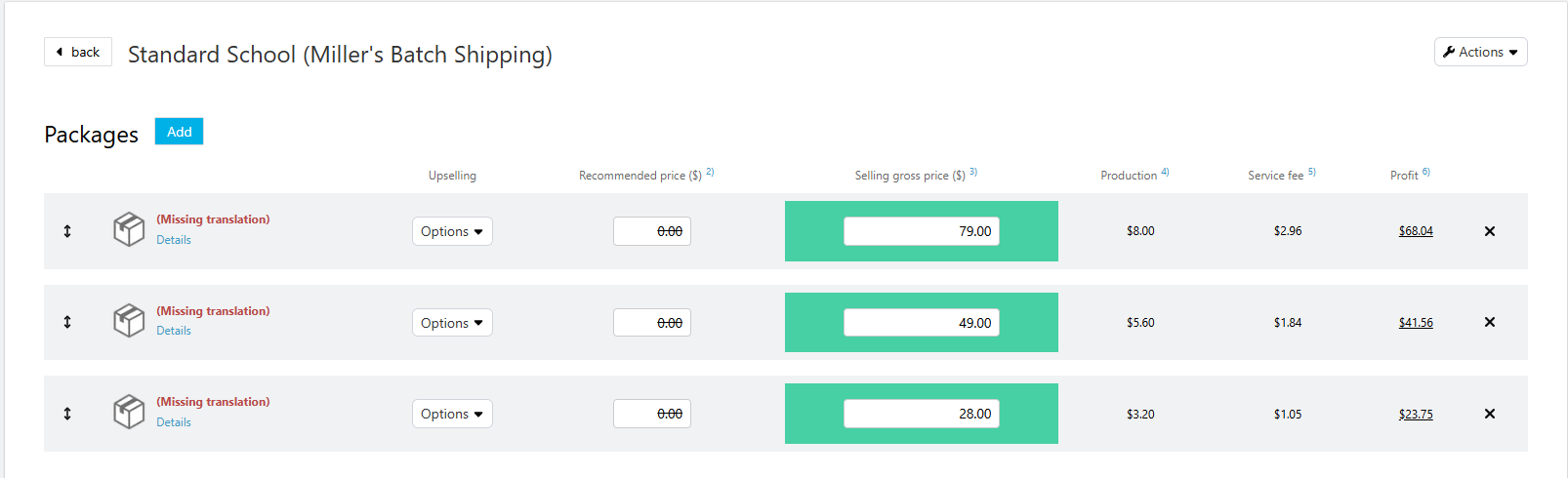
Your package names may suddenly disappear and display “Missing Translation” in red across all your price profiles in the admin area.
The root cause
This happens if you accidentally switched the language in the footer of your admin area from British English to US English, or vice versa.

Important: GotPhoto uses separate language sets for different markets. If you have enabled multiple shop languages (e.g., Spanish or French), make sure to translate your package names in the package settings so they appear correctly for all customers.
The solution
To fix the issue, simply change the language in the footer back to your original setting (British English or US English). This will restore your package names instantly.
The takeaway
The “Missing Translation” error usually means your admin language setting was switched. Restoring the correct language fixes the problem. To prevent issues for multi-language customers, always add translations for your package names in the package settings.