
Table of contents
Overview
Sometimes a former customer may request you remove their information from your system. Due to variations in local data protection regulations, the steps differ slightly for North American and UK users. Choose your region below for specific instructions.
Please be advised: Deleted customer accounts cannot be restored.
North American customers
- 1Navigate to the customer’s profile within your GotPhoto account.
- 2Click the Actions dropdown (next to Customer Information), and select Delete record.
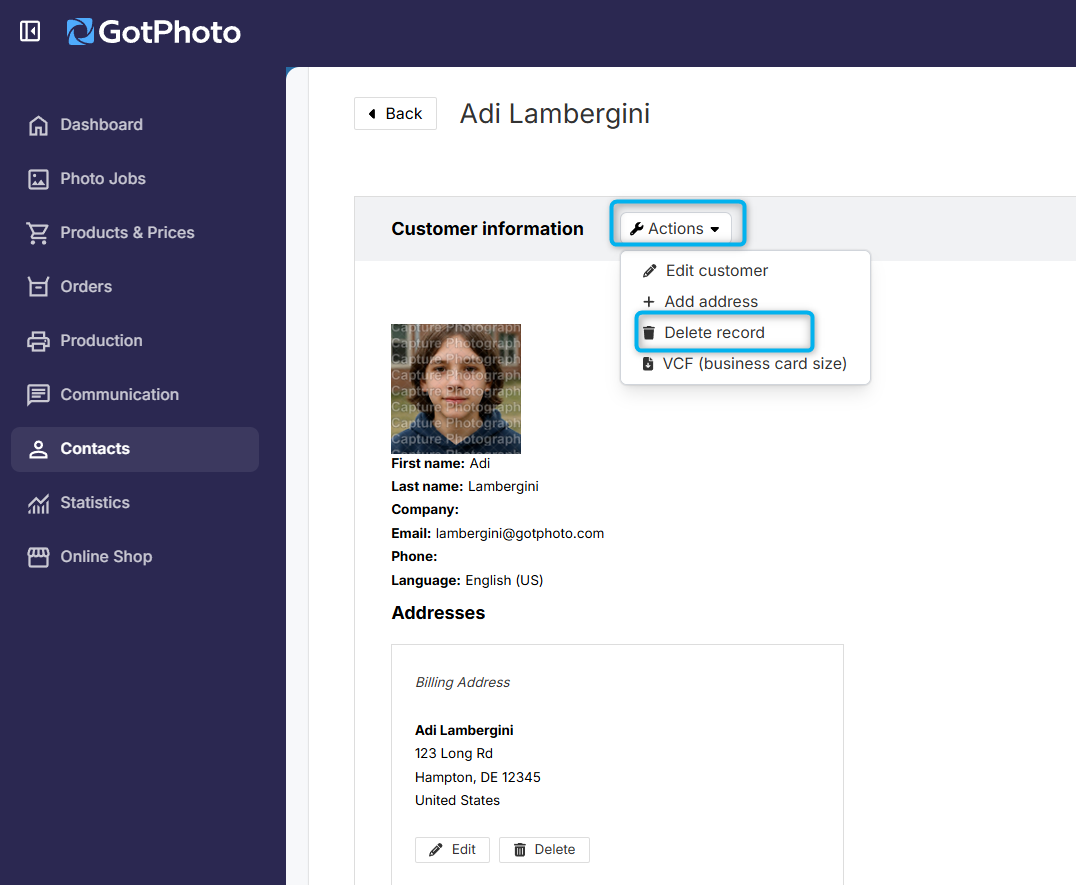
- 3Click OK in the confirmation pop-up.
Please note: We are unable to delete data for customers who have placed an order. Legal obligations require us to retain some data for a specific period.
UK customers
- 1Navigate to the customer’s profile within your GotPhoto account.
- 2Click the Actions dropdown (next to Customer Information), and select Delete record.
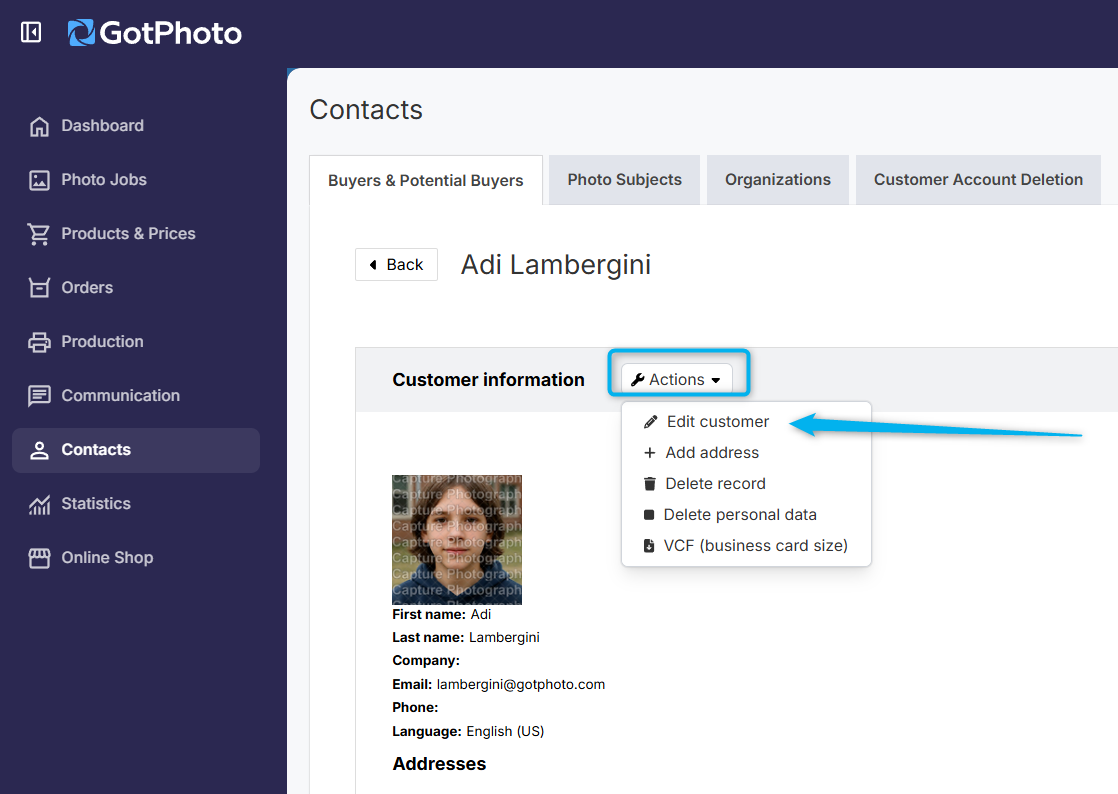
- 3Click OK in the confirmation pop-up.
- 4Wait a few minutes, then go to the Customer Account Deletion tab.
- 5Under the Actions dropdown, choose:
- Delete account with photos – deletes name, addresses, email, access codes, and all photos tied to individual access codes (not shared access jobs).
- Delete account without photos – deletes name, addresses, email, and access codes only.
- 6
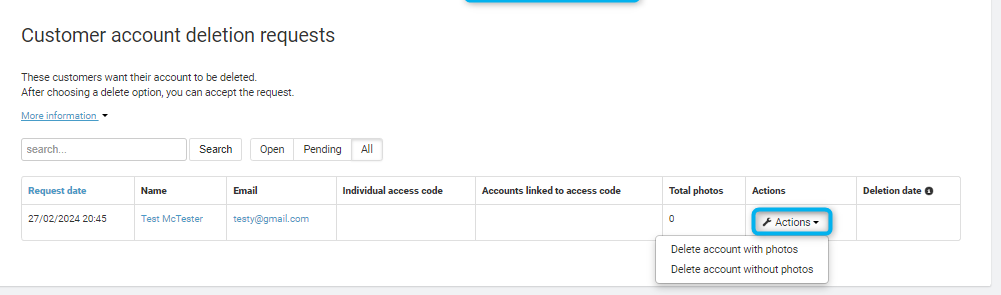
The Actions column will update to show Account to be deleted, and the Deletion date column will reflect the scheduled deletion date. This is typically set for six weeks after the customer’s last order delivery or resolution of any complaint.
Returning UK customers can also initiate deletion on their own: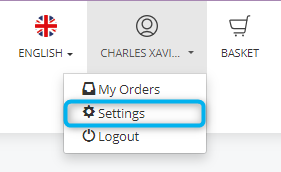
They must confirm twice. Once confirmed, the account will appear under the Customer Account Deletion tab (see steps 4–5 above).
The takeaway
Easily manage customer data removal requests with the instructions above. Follow the steps for your region to ensure you stay compliant with local data protection laws.