
Table of contents
Overview
Forgot your GotPhoto password? No problem—it only takes a few minutes to reset it and regain access to your account.
How to reset your password
On the login page, click the Forgot password? link.
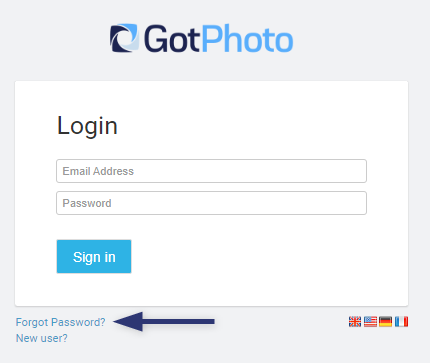
You’ll receive an email with instructions to reset your password.
Troubleshooting email delivery if you forgot your GotPhoto password
Please go through the steps below
- Wait a few minutes. It can take a short moment for the email to arrive.
- Check your spam or junk folder. Sometimes automated emails are filtered by mistake.
- Verify your email address: Make sure you're using the email address you signed up with. You may have registered with a different one.
- Check our Status page: Confirm there are no ongoing technical issues affecting email delivery.
If you've completed all the steps above and still haven't received the email, our team can take it from here.
The takeaway
Use the “Forgot password?” link on the login page to reset your GotPhoto password.