
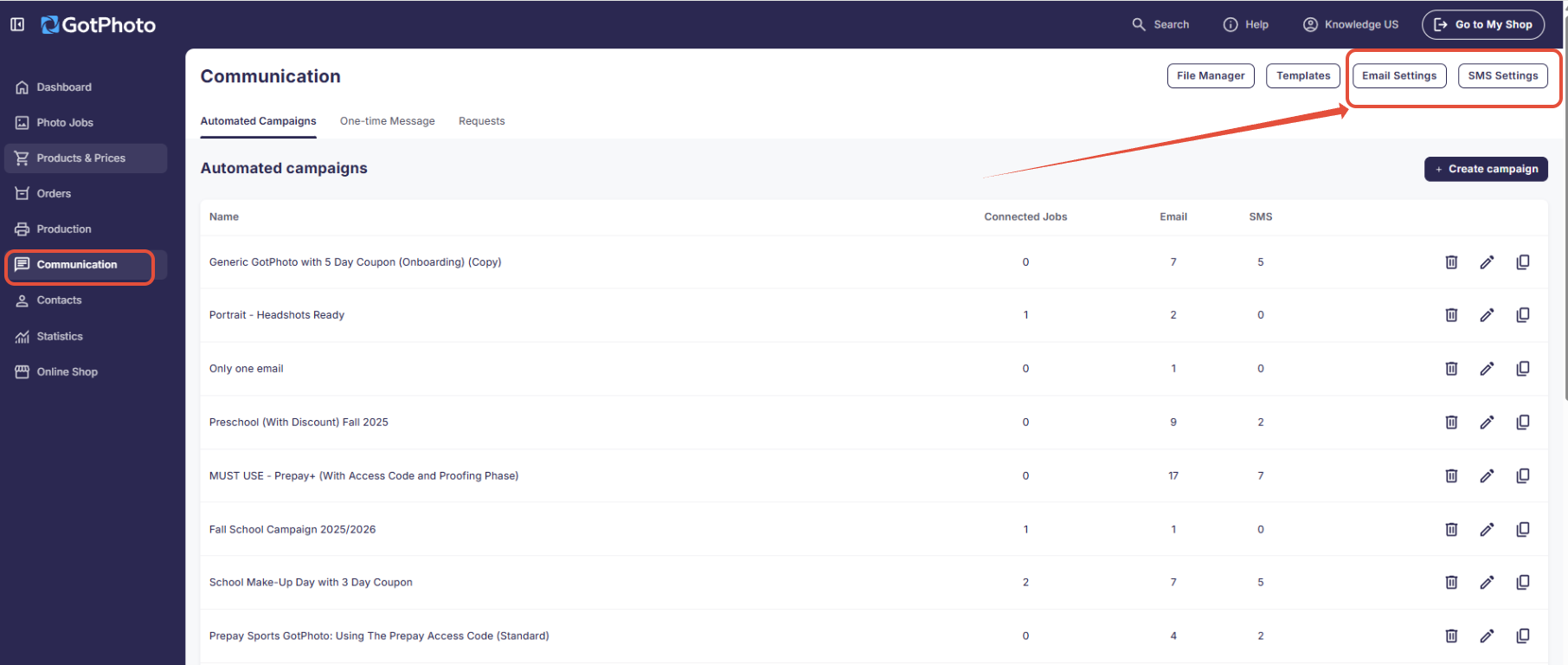
The Communication Settings pages can be found by clicking into the Communication page, and then clicking on Email Settings or SMS Settings on the upper right:
Email Settings
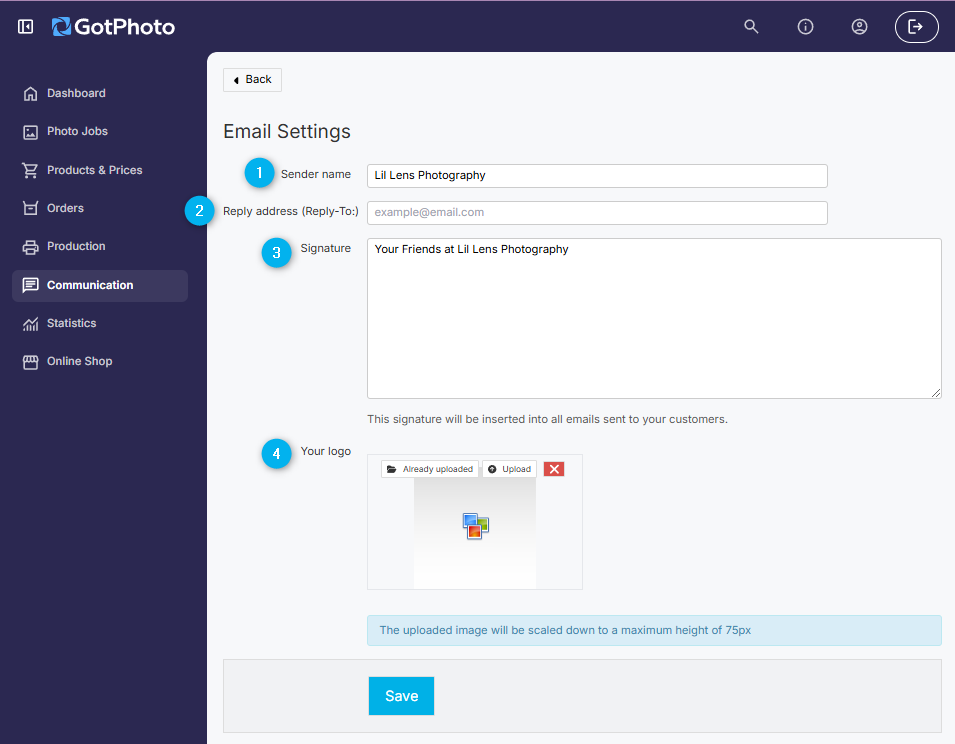
Within Email Settings, you can set up your:
- 1Sender Name: The name that will appear in your recipients’ inboxes.
- 2Reply Address: The email address where you would like to receive any replies to your emails.
- 3Signature: This will be used at the bottom of every email sent from your GotPhoto account.
- 4Your Logo
Make sure to save your changes!
SMS Settings

SMS capabilities are currently available to North American customers only. We look forward to implementing GDPR-compliant SMS functionality for our UK customers in the future.
To learn more about setting up SMS functionality with Twilio, please review this article: Set Up Your Text Message (SMS) Settings