
Table of contents
- Overview
- Access the account settings page
- Update your timezone and order notifications
- FAQs
- The takeaway
Overview
This article shows you how to find and adjust your general account settings, including your timezone and order notification preferences.
Access the account settings page
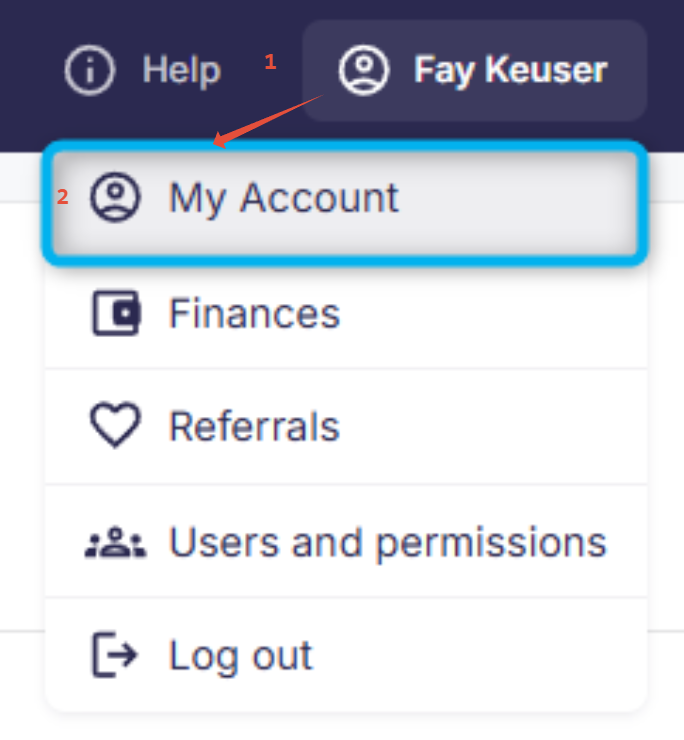
You can access your account settings by clicking your name in the top-right corner and selecting My Account.
Update your timezone and order notifications
Once you're on the account settings page, you can adjust the following options:
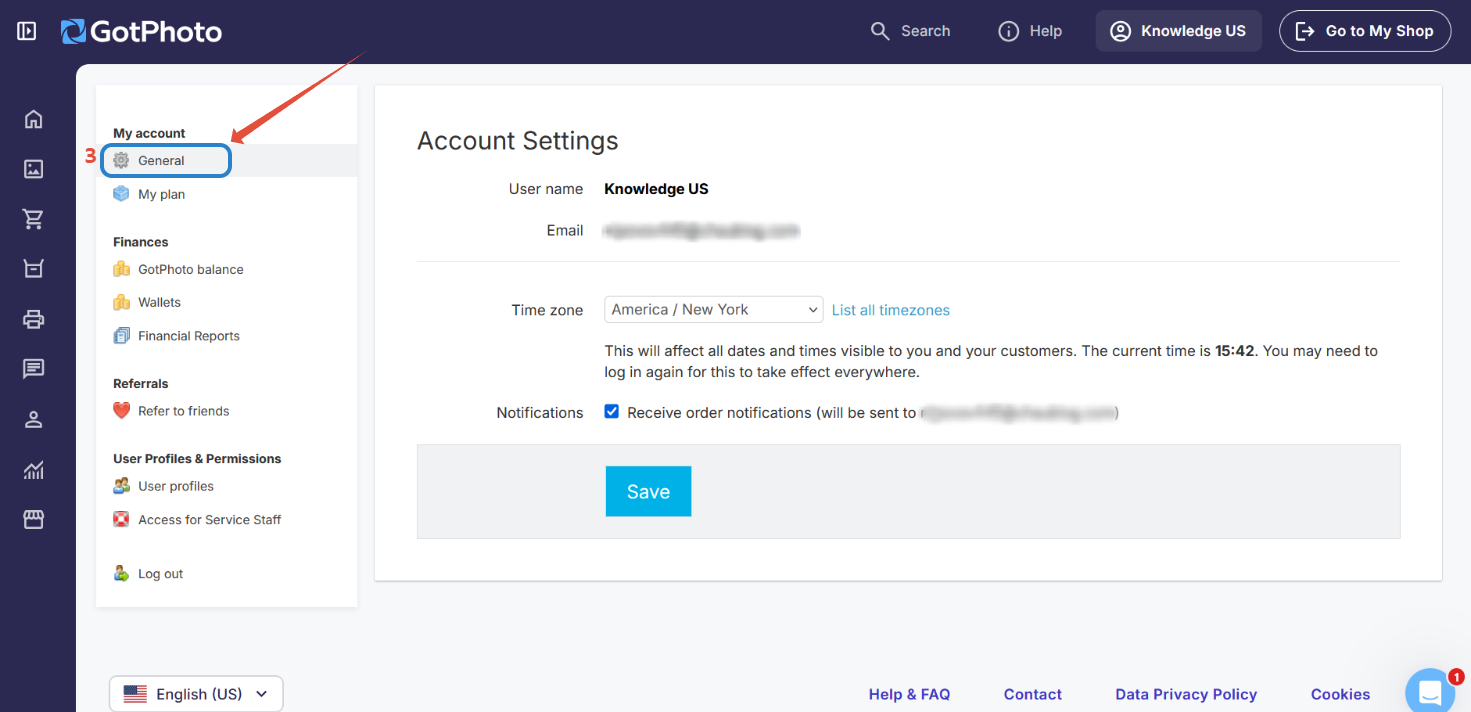
- 1Select your timezone: Choose your timezone from the drop-down menu.
- 2Manage order notifications: Tick the checkbox if you want to receive an email every time an order is placed. Leave it unchecked if you prefer to check manually.
Make sure to click "Save" after adjusting your settings.
FAQs
I run my photography business abroad. Where can I change my country?
Your place of residence or business address must match the brand you signed up for. However, you can create a new account at any time in one of our other supported countries. Our platform is available in the following countries:
- Germany: fotograf.de
- Austria: gotphoto.at
- Switzerland: gotphoto.ch
- UK: gotphoto.co.uk
- USA / Canada: gotphoto.com
At the moment, no additional countries are supported.
The takeaway
Access your account settings easily from your profile menu to customize your timezone and order notifications. Don’t forget to save changes to keep your preferences updated.